
Brisk Teaching is most interesting when a teacher wants help alongside existing documents and online resources. Its browser-centered workflow is a meaningful distinction, but convenience alone does not establish the quality of a lesson or feedback comment. Evaluate the preparation task and the permissions needed to perform it together.
Documentation-based assessment · How we reviewed it

Official demo / learning resources ↗
A practical shortlist when switching tools is the friction
Consider Brisk when you regularly move between a source, a lesson document and feedback. Begin with one permitted file and check whether the final resource needs fewer repairs than your current process. Do not judge it only by generation speed. The extension and any student activities should follow the institution’s actual approval process. This is a documentation-based assessment, not a report of hands-on tests.
- Best fit
- Teachers working with existing browser-based materials
- Review scope
- Browser-based teaching preparation and feedback
- Main watch-out
- Convenient file access still requires an institutional permissions review.
In this review
Who should consider Brisk Teaching?
Brisk can be worth evaluating for an educator who already has a clear lesson goal and spends time turning existing material into a usable activity. A writing teacher may also want to inspect whether suggested feedback refers to the actual text rather than generic advice. A school leader should compare individual convenience with deployment, support and curriculum requirements. It may be a poor fit if extensions are not approved on school devices or the intended source format is awkward in practice. Compare MagicSchool for a dedicated workspace and Diffit for resource adaptation. A short same-task comparison is more useful than comparing marketing tool counts.
Why shortlist it
- Works around resources an educator may already use.
- Can support refinement rather than requiring the first output to be final.
- Free teacher access makes a limited workflow evaluation possible.
- Provider learning resources show specific tasks to investigate.
What to watch
- Browser permissions and device policies can affect adoption.
- Generic feedback can look useful while missing the assignment’s objective.
- Different source formats and exports need separate checks.
- We have not measured response accuracy, correction time or student outcomes.
Features that matter in daily work
The official catalogue covers creating materials, giving feedback, inspecting writing, adapting level/language and student activities. Treat these as different jobs with different evaluation criteria. A strong lesson outline does not demonstrate reliable analysis of student writing, and a readable adaptation does not demonstrate a good assessment. Official product details ↗
1. Lesson planning in context
The lesson-plan documentation describes prompts, follow-up refinement and editable outputs. Supply the objective and constraints, then inspect timing and assessment alignment yourself. Source ↗
2. Reading-level and language adaptation
Official materials describe adapting texts and translations. Compare important meaning and subject vocabulary before distributing a new version. Source ↗
3. Draft writing feedback
The platform includes several feedback workflows. Check that each comment can be supported by the submitted text, and keep the educator responsible for approval. Source ↗
A closer look at Brisk Teaching
The provider visuals introduce the documented workflow. Use the suggested trials below to examine your own task; these images do not establish performance, safety or learning outcomes.
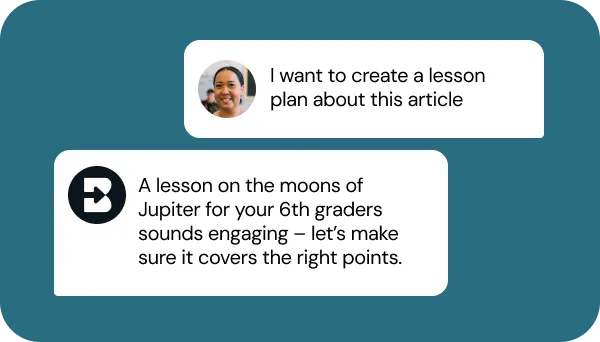
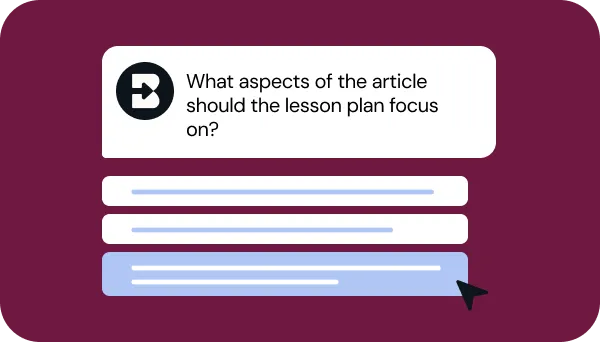
Visuals © provider / respective owners. Official source ↗ Vendor examples are not evidence of measured performance.
Practical workflows to evaluate
These are suggested evaluations, not tests we performed. Use material you own or have permission to share.
Adapt a known resource
Use an approved public article and a clear objective. Request a short activity for the same objective and compare it with your existing material.
Evaluate: Check the answer key, missing prerequisites and how much manual cleanup is required after export.
Audit feedback with a fictional response
Write a brief sample containing one genuine strength, one factual error and one missing explanation. Ask for formative feedback using a simple rubric.
Evaluate: Check whether comments identify those points without inventing features of the student. Measure useful, actionable feedback rather than comment volume.
Review the permission workflow
On an approved test setup, record which account, file and page are involved in a task. Ask the responsible administrator to compare that with school policy.
Evaluate: Confirm that the workflow, scopes and handling of source content are understood before real student work is introduced.
Plans, allowances and value
The current official plan page lists Free for teachers, Premium for schools/districts and Intelligence for districts. Premium and Intelligence use custom pricing. Their institutional context and management features differ. Do not treat free teacher access as a promise that every deployment feature or future usage level is included.
| Option | What to check | Decision rule |
|---|---|---|
| Free | Teacher entry point; verify the exact tools and allowances needed | Evaluate one preparation task before considering wider adoption. |
| Premium | Custom school/district pricing; check context and management requirements | Request a scope around the workflows staff will actually use. |
| Intelligence | Custom district pricing with deeper curriculum context | Include setup, maintenance and evidence of fit in the decision. |
Check official plan details ↗ Confirm your billing interval, currency, applicable tax, renewal terms and feature availability before subscribing. Promotional prices can differ from renewal prices.
Limits, privacy and responsible use
A tool acting beside a document can make a plausible answer feel closely grounded in it. That appearance is not enough: verify quotations, claims and feedback against the source. Do not turn writing-analysis indicators into an accusation or use generated feedback as an automatic consequential judgment about a learner. Our review does not assess plagiarism detection, AI-writing detection or the reliability of any authorship inference. Those are different questions from drafting comments. For an initial trial, use fictional examples and evaluate whether the output helps a person make a better, explainable instructional decision.
The privacy center says Brisk is activated by the educator on the relevant file and that teacher/student inputs are not used for model training. These are attributed provider statements, not an independent security audit. The same center explains the broad browser-extension warning and links to formal privacy documents. Review the actual installed permissions, account connection and applicable agreement with the school’s administrator. Keep confidential records out of an initial trial. Determine what is retained, who may access it and how to remove it; a marketing assurance should not substitute for that review.
Documentation establishes advertised capabilities, not accuracy on your task. We have not measured speed, reliability, time savings or business outcomes. Keep an accountable person responsible for approval.
Alternatives worth comparing
Compare the job you need done rather than assuming every AI tool is a direct replacement. These are workflow alternatives, not a performance ranking.
Brisk can be worth evaluating for an educator who already has a clear lesson goal and spends time turning existing material into a usable activity. A writing teacher may also want to inspect whether suggested feedback refers to the actual text rather than generic advice. A school leader should compare individual convenience with deployment, support and curriculum requirements. It may be a poor fit if extensions are not approved on school devices or the intended source format is awkward in practice. Compare MagicSchool for a dedicated workspace and Diffit for resource adaptation. A short same-task comparison is more useful than comparing marketing tool counts.
Common questions
Is Brisk Teaching free?
The official plans page lists Free for teachers and custom-priced institutional offerings. Check the matrix for the features you intend to use.
Why does the extension ask for browser permissions?
Its work involves content in browser pages and documents. Review the current permissions and the provider explanation with your administrator before installation.
Can generated feedback be sent without review?
Keep teacher approval in the process. Check that each comment is supported by the text and is appropriate to the task.
Is it better than MagicSchool or Diffit?
We have not run a comparative test. Compare a single permitted task, final quality, review time and the workflow location you prefer.
Have you tested and rated this tool?
This is a research-based assessment of official documentation. We have not recorded hands-on tests or assigned a numerical score. The recommendations explain suitability and trade-offs.
Sources and review method
We reviewed official product and plan information on 16 October 2026. Suitability judgments and suggested trials are our editorial assessment. Media is credited to its provider and does not establish hands-on testing. Features, prices and rollouts can change.
- Official product overview
- Lesson-plan tool documentation
- Level and language adaptation
- Official plans
- Privacy center and extension explanation
No affiliate tracking has been added to these links. Editorial responsibility: AI Tools Hotlist editorial desk. Editorial standards · Suggest a correction · More reviews.