
For people who want help revising writing in their everyday workflow.
Documentation-based assessment · How we reviewed it
Our take on Grammarly
Worth considering if improving an existing draft is a frequent task. Judge it by the useful suggestions you keep and the corrections you avoid, rather than how many changes it proposes.
- Best fit
- Editing emails, articles and reports
- Review scope
- Writing, revision and supported writing surfaces
- Main watch-out
- Preserving meaning and your own voice
In this review
Who should consider Grammarly?
A useful candidate for repeated writing revision. If your main need is deep research or technical verification, keep those steps separate from wording assistance.
Why shortlist it
- Drafting and revision assistance can support the same piece of writing.
- Tone and length controls give you concrete ways to request a different version.
- Assistance within a supported writing environment may reduce switching between tools.
What to watch
- A rewrite can change a qualification, promise or intended meaning.
- Polished wording does not establish that a factual claim is correct.
- Check which suggestions and generative features are included in your plan.
Features that matter in daily work
Grammarly describes AI assistance for generating ideas, drafting and rewriting for tone, length and formality. Its product information also describes proofreading and writing suggestions across supported writing environments. Official product details ↗
1. Drafting from a brief
The provider describes AI drafting for emails, reports and outlines. Give it approved facts and a clear recipient; reject additions that introduce a promise you did not intend.
2. Tone and length revisions
Rewriting controls address tone, formality and length. Compare the revised text with the original sentence by sentence, especially dates, conditions and requests.
3. Personalized writing
Personalization is intended to shape generated wording. Use several examples of your own work to assess fit instead of treating a single agreeable sentence as success.
4. Assistance in context
Supported writing surfaces keep revision near the text. Verify compatibility with your actual application and account before assuming the same feature works everywhere.
A closer look at Grammarly
Official provider imagery, credited below. These are vendor examples, not outputs from our tests. Select an image to enlarge it.
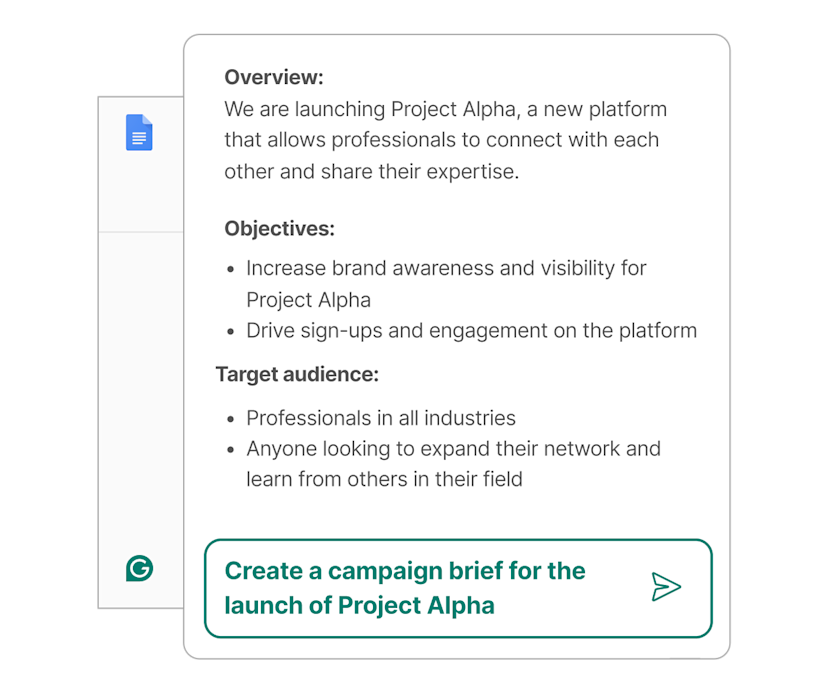
Visuals © provider / respective owners. Official source ↗ Vendor examples are not evidence of measured performance.
Practical workflows to evaluate
These are suggested evaluations, not tests we performed. Use material you own or have permission to share.
Revise a customer email
Shorten this non-confidential email while preserving every condition, deadline and requested action. List any wording that could change the meaning.
Evaluate: Compare the promise, deadline and tone with the original. Record which edits you keep and which you reverse.
Test a house style
Apply this short style guide to a sample article. Keep quoted text unchanged and flag missing facts rather than filling them in.
Evaluate: Check consistency across two paragraphs, then inspect whether a preferred style was imposed where it made the meaning less precise.
Review a difficult sentence
Offer two clearer versions of this paragraph: one concise and one more explanatory. Preserve the qualification and state the difference.
Evaluate: Have a colleague read both versions without context. Ask whether they understand the same request and level of certainty.
Plans, allowances and value
Use the official plan comparison to check free and paid options, generative AI allowances and team features. Compare the billing interval and the features you actually use; proofreading alone and frequent AI drafting are different needs.
| Option | What to check | Decision rule |
|---|---|---|
| Free | Basic writing support and 100 AI prompts/month | Use for a modest revision trial. |
| Pro | Advanced revision features and 2,000 AI prompts/member/month | Choose against a specific recurring editing need. |
| Enterprise | Custom commercial terms and organizational controls | Evaluate with the people responsible for data and rollout. |
Check official plan details ↗ Confirm your billing interval, currency, applicable tax, renewal terms and feature availability before subscribing. Promotional prices can differ from renewal prices.
Limits, privacy and responsible use
A grammatical rewrite can still distort intent. Numbers, caveats and technical terminology deserve a separate check. Use the tool to improve expression, then verify the underlying content through your normal editorial process.
Check the provider’s current data terms, account settings and your organization’s policy before uploading client or confidential material. A paid subscription alone is not authorization to share information.
Documentation establishes advertised capabilities, not accuracy on your task. We have not measured speed, reliability, time savings or business outcomes. Keep an accountable person responsible for approval.
Alternatives worth comparing
Compare the job you need done rather than assuming every AI tool is a direct replacement. These are workflow alternatives, not a performance ranking.
A useful candidate for repeated writing revision. If your main need is deep research or technical verification, keep those steps separate from wording assistance.
Common questions
Will a rewrite preserve every detail?
Do not assume so. Compare obligations, names, deadlines and qualifications with the original.
Is proofreading the same as fact checking?
No. Clear wording can contain an incorrect claim; check factual material separately.
What should I compare before upgrading?
Check the writing features, supported surfaces and monthly AI prompt allowance you would actually use.
Have you tested and rated this tool?
This is a research-based assessment of official documentation. We have not recorded hands-on tests or assigned a numerical score. The recommendations explain suitability and trade-offs.
Sources and review method
We reviewed official product and plan information on 14 October 2026. Suitability judgments and suggested trials are our editorial assessment. Media is credited to its provider and does not establish hands-on testing. Features, prices and rollouts can change.
No affiliate tracking has been added to these links. Editorial responsibility: AI Tools Hotlist editorial desk. Editorial standards · Suggest a correction · More reviews.